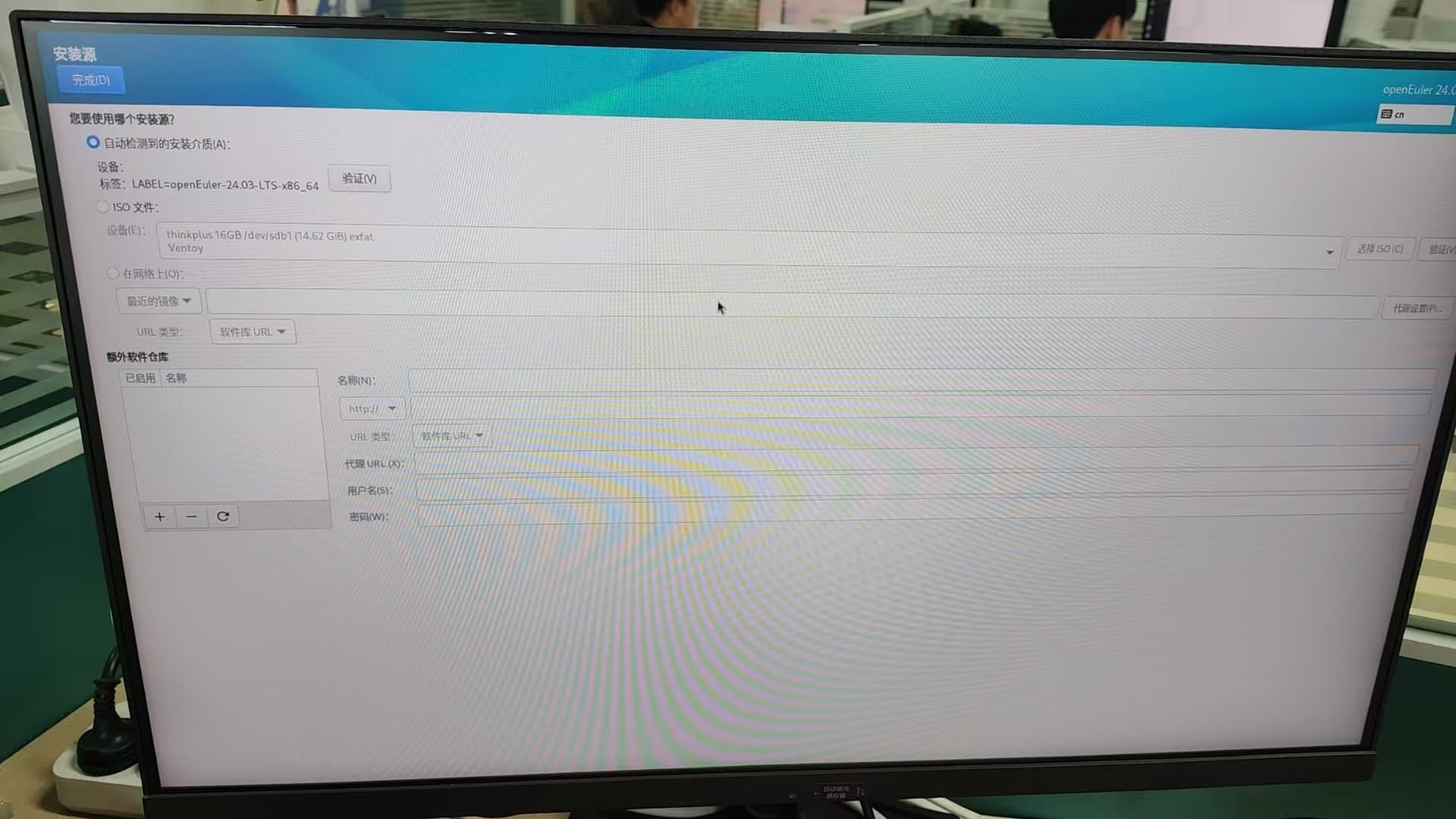
Ventoy-created boot USB cannot install openEuler-24.03-LTS system image

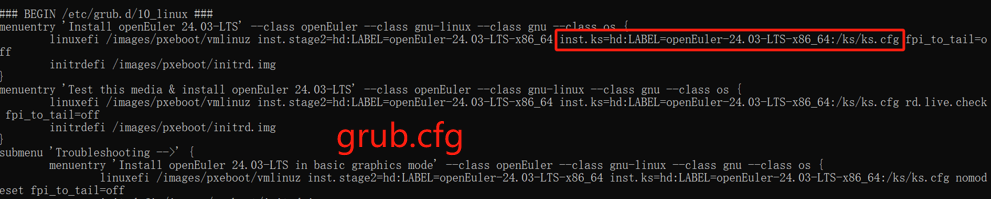
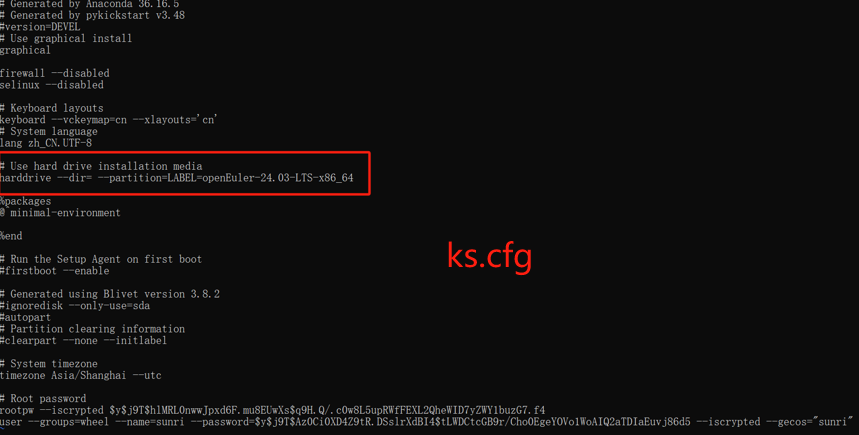
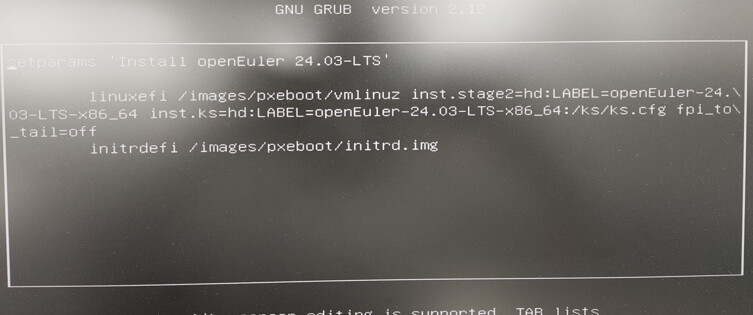
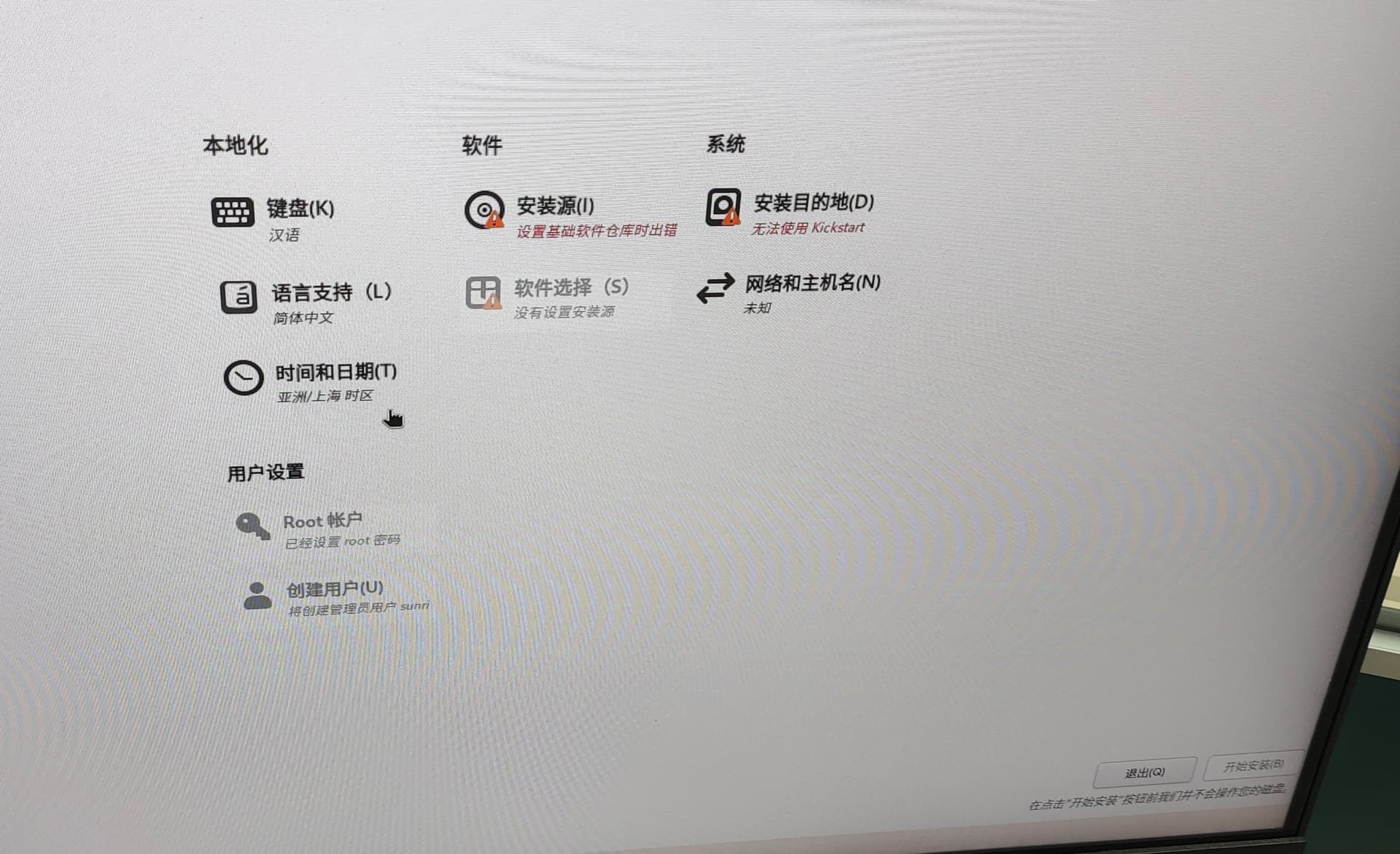
Using openEuler-24.03-LTS as the base image, only the isolinux.cfg, /EFI/BOOT/grub.cfg and ks.cfg files were modified, then a new image was packaged and generated. The new image was placed into a bootable USB drive created with Ventoy, but during installation, there was an error reported continuously at the installation source: an error occurred while setting up the base software repository. (No such problem occurs when using a USB drive created with Rufus). According to the methods found (adding inst.repo), this issue could not be resolved. Could the experts here please suggest any good solutions?
0be6be893822733fec6bd69bf67a207
cdfa17b7b118df40b1d5547666ab1d5
bc8f9134ddf43e5e3e37ac15ce0128c
b8a300b1d13b96b3d1802e649bed6b8
a19c237e8e9e4778e950895ff1432bc
9643a29ffc32ab00f9d982abbefcdf1

If you’re going to make changes, it’s recommended to use FedoraMediaWriter

Please refer to the URL: 制作自动安装openEuler-24.03-LTS-SP1-x86_64镜像 - luokeli - 博客园

The approximate reason I analyzed is: after the ISO change, the MD5 checksum value needs to be rewritten.

What is the purpose of the isolinux directory? Is it an old, cumbersome way to boot Linux?

Nowadays, UEFI booting is standard, so can this directory be safely omitted?

Modifying configuration files in the efi directory shouldn’t affect the checksums of installation source files. Since you’ve reached this boot menu, those configuration files have already served their purpose.

I checked the ks.cfg file, and it seems to be correctly configured. Try changing the ks.cfg path in isolinux.cfg and grub.cfg to this:

inst.ks=cdrom:/ks/ks.cfg

Just use Rufus.

Thank you all for your generous assistance. Adding the following line to ks.cfg: url --url=file:///run/install/repo, resolves this issue.