OpenEuler安装SplashKit后无法编译

Running OpenEuler 25.09 Dev Station in WSL2 environment
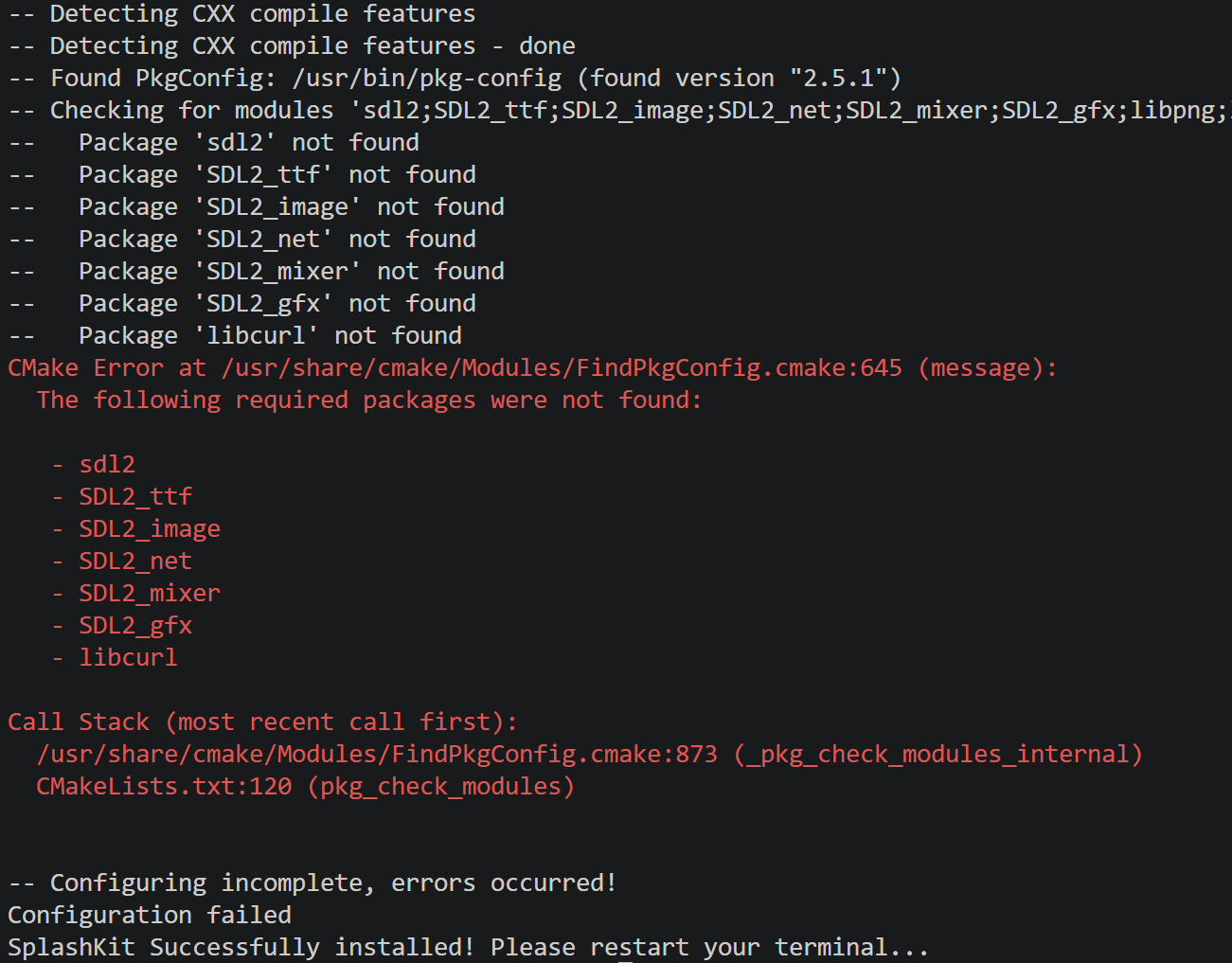
Installing SplashKit via the official command curl -s https://raw.githubusercontent.com/splashkit/skm/master/install-scripts/skm-install.sh | bash results in an error in the console.

When following the official guide and running sudo apt-get update && sudo apt-get upgrade, the error sudo: apt-get: command not found occurs.
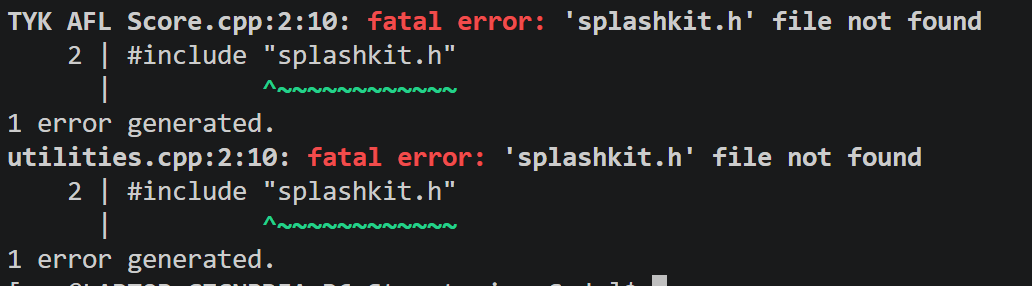
Using the command clang++ "TYK AFL Score.cpp" utilities.cpp -o test -l SplashKit -Wall to compile results in header file errors.

The skm command confirms installation was successful. Git is also installed successfully.

Image

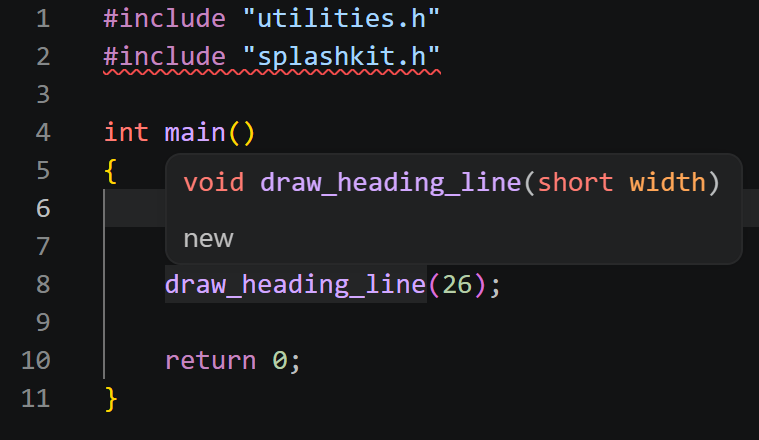
Source code:

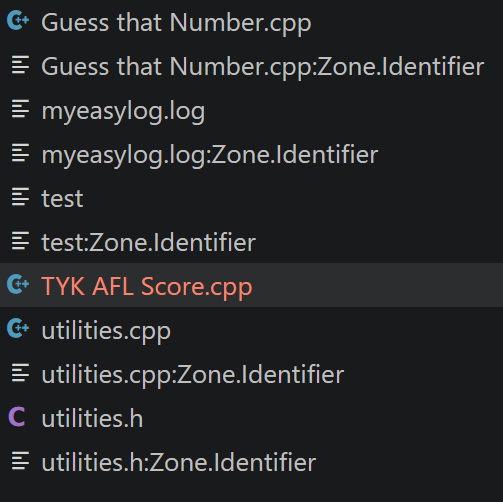
Source files:

The content is AI-generated and for reference only:

:white_check_mark: Summary

Issue Cause Solution
apt-get command not found Using Debian command Switch to dnf
Header file splashkit.h not found Installation path not set Manually set -I$SKM_PATH/include
skm command missing Installation script not fully deployed Manually install SDK and configure PATH
CMake cannot find dependencies Missing -devel packages Install SDL2_*-devel and other development packages

:end_arrow: Conclusion: The official SplashKit installation script is incompatible with openEuler. Manual SDK installation and environment configuration are required. For learning or development purposes, it is recommended to switch to Ubuntu WSL for full support.

Click here to view detailed analysis and solution

Troubleshooting and Solution for SplashKit Compilation Failure on openEuler 25.09 DevStation (WSL2)

Based on the detailed information you provided, you encountered multiple installation and compilation issues while attempting to use SplashKit for C++ development in a WSL2 environment running openEuler 25.09 DevStation. Below is a comprehensive analysis and recommended solutions.


:magnifying_glass_tilted_left: Problem Summary

  1. SplashKit installation script failed (CMake cannot find dependencies)

    • The installation process reported missing dependencies such as SDL2_ttf, SDL2_image, libcurl, etc.
    • Error messages clearly state: Package 'xxx' not found.
  2. apt-get command unavailable

    • Running sudo apt-get update returns sudo: apt-get: command not found.
    • Cause: apt is the package manager used by Debian/Ubuntu systems; openEuler uses dnf and yum.
  3. Missing header files during compilation

    • Compilation fails with: 'splashkit.h' file not found.
    • Indicates that although the installation claimed success, the header file paths or library paths were not properly configured.
  4. skm command not available

    • Running skm help returns Missing skm command, indicating the command is not in PATH or was not installed.

:pushpin: Root Cause Analysis

:white_check_mark: 1. Package Management System Difference: apt is not for openEuler

  • openEuler is based on RHEL/CentOS, using dnf or yum as its package manager.
  • Using apt-get is completely incorrect and the command does not exist by default in openEuler.

:cross_mark: Incorrect command:

sudo apt-get update && sudo apt-get upgrade

:white_check_mark: Correct command should be:

sudo dnf update

:white_check_mark: 2. Different Package Names (Debian vs openEuler)

Debian/Ubuntu Package Name openEuler/RHEL Equivalent Available?
libsdl2-dev SDL2-devel :white_check_mark: Yes
libsdl2-ttf-dev SDL2_ttf-devel :white_check_mark: Yes
libsdl2-image-dev SDL2_image-devel :white_check_mark: Yes
libsdl2-mixer-dev SDL2_mixer-devel :white_check_mark: Yes
libsdl2-gfx-dev SDL2_gfx-devel :white_check_mark: Yes
libcurl4-openssl-dev libcurl-devel :white_check_mark: Yes

:warning: The installation script searches for pkg-config modules named sd12 (should be sdl2 — possible typo or bug in the script).


:white_check_mark: 3. Official SplashKit Installation Script Not Adapted for Non-Debian Systems

  • The official script skm-install.sh is primarily designed for Ubuntu/Debian and macOS.
  • It relies on apt or brew, so it will likely fail or partially fail on openEuler, a RPM-based system.
  • Even if binary files are downloaded, missing development libraries may prevent usage.

:white_check_mark: Solutions

Step 1: Fix Base Environment and Package Manager

# Update system
sudo dnf update -y

# Install basic development tools
sudo dnf groupinstall "Development Tools" -y

# Install CMake (ensure version meets requirements)
sudo dnf install cmake -y

# Install Git (if not already installed)
sudo dnf install git -y

Step 2: Install Required Development Dependencies

sudo dnf install \
  SDL2-devel \
  SDL2_ttf-devel \
  SDL2_image-devel \
  SDL2_mixer-devel \
  SDL2_gfx-devel \
  libcurl-devel \
  pkgconfig \
  clang \
  gcc-c++ \
  make \
  wget \
  tar \
  unzip \
  -y

:light_bulb: Note: pkgconfig is the package name in openEuler. After installation, you can use pkg-config to locate libraries.


Step 3: Manually Install SplashKit (Bypass Failed Script)

Since the automated script is unreliable, manual installation is recommended.

Method 1: Download Pre-compiled SDK from GitHub (Recommended)

# Create installation directory
mkdir -p ~/splashkit
cd ~/splashkit

# Download the Linux pre-compiled version (check for aarch64/x86_64 support)
# Example: assuming the latest release includes linux-x64.zip
wget https://github.com/splashkit/splashkit-sdk/releases/latest/download/splashkit-linux-x64.zip
unzip splashkit-linux-x64.zip

# Set environment variables (add to ~/.bashrc)
echo 'export SKM_PATH="$HOME/splashkit/splashkit-linux-x64"' >> ~/.bashrc
echo 'export PATH="$PATH:$SKM_PATH/bin"' >> ~/.bashrc
echo 'export LD_LIBRARY_PATH="$LD_LIBRARY_PATH:$SKM_PATH/lib"' >> ~/.bashrc

# Reload environment
source ~/.bashrc

Method 2: Build from Source (Advanced Users)

If building from source, ensure all .pc files exist in /usr/lib64/pkgconfig/ and verify with:

pkg-config --exists SDL2 && echo yes

Step 4: Verify Installation and Header Path

# Check if header file exists
ls $SKM_PATH/include/splashkit.h

# Check library files
ls $SKM_PATH/lib/libsplashkit.*

# Compile with correct flags
clang++ "TYK AFL Score.cpp" utilities.cpp -o test \
  -I$SKM_PATH/include \
  -L$SKM_PATH/lib \
  -lSplashKit \
  -Wall

Step 5: Confirm skm Command is Available

If the SDK includes the skm binary:

# Check if skm exists
ls $SKM_PATH/bin/skm

# Test it
skm version

Otherwise, the current version may not support WSL or the command was not packaged.


:hammer_and_wrench: Recommended Alternative Solutions (for openEuler/WSL)

Option A: Use Ubuntu WSL Image (Most Compatible)

Since SplashKit is primarily designed for Ubuntu, strongly recommended to switch to Ubuntu WSL:

wsl --install -d Ubuntu

Then run the official installation command in Ubuntu — it should work seamlessly.

Option B: Use Docker to Run SplashKit Environment

Create a Dockerfile to encapsulate the dependency environment:

FROM ubuntu:22.04
RUN apt update && apt install -y wget build-essential clang
RUN wget ... # Install SplashKit
CMD ["/bin/bash"]

:books: Reference Resources


:white_check_mark: Summary

Issue Cause Solution
apt-get command not found Using Debian command Switch to dnf
Header file splashkit.h not found Installation path not set Manually set -I$SKM_PATH/include
skm command missing Installation script incomplete Manually install SDK and configure PATH
CMake cannot find dependencies Missing -devel packages Install SDL2_*-devel and other development packages

:end_arrow: Conclusion: The official SplashKit installation script is incompatible with openEuler. Manual SDK installation and environment setup are required. For learning or development, it is strongly recommended to switch to Ubuntu WSL for full compatibility.

If further assistance is needed, please provide the output of dnf search SDL2 and echo $SKM_PATH.

How can I use dnf instead of apt?