openEuler-25.03 network installation fails to populate mirror source

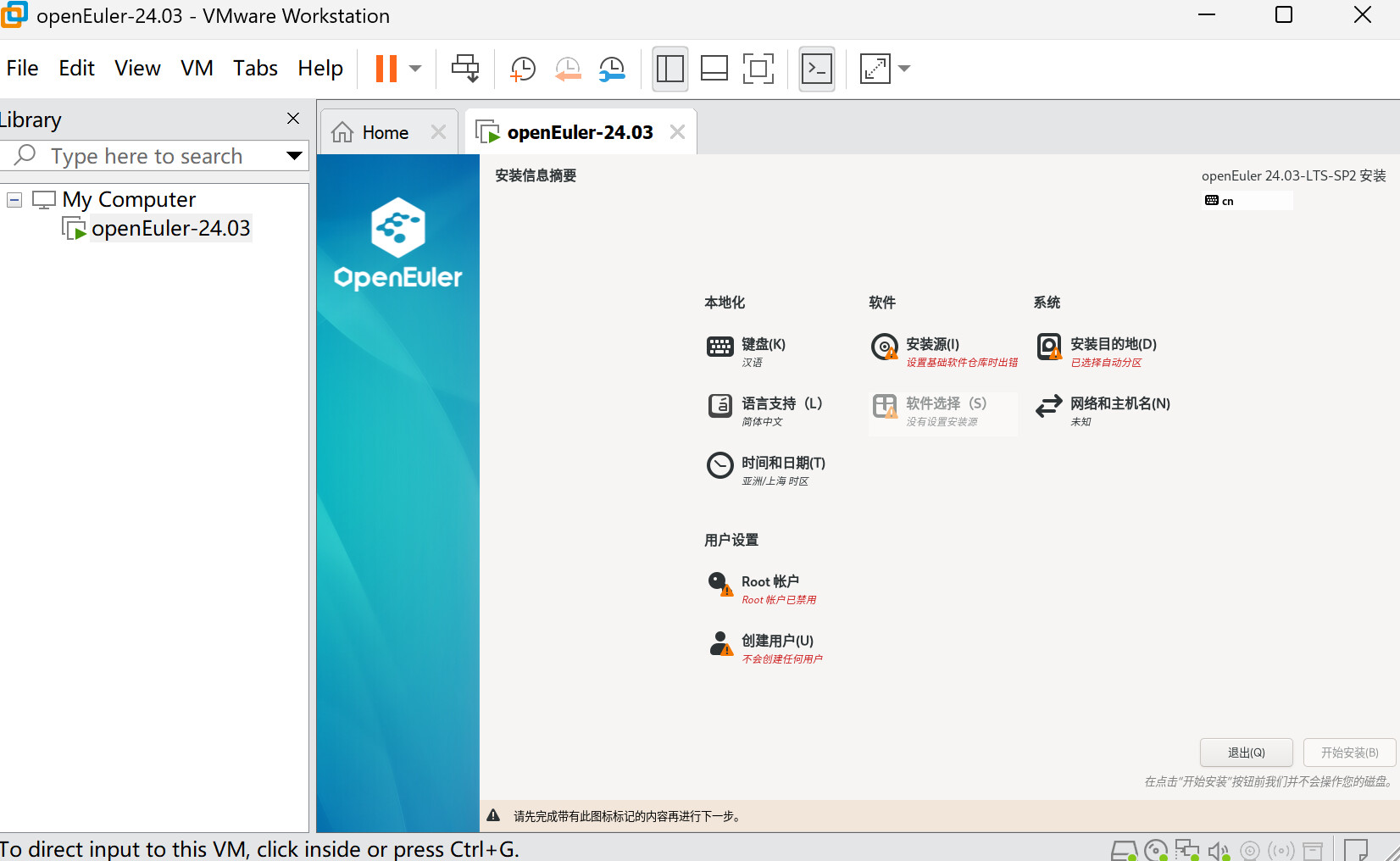
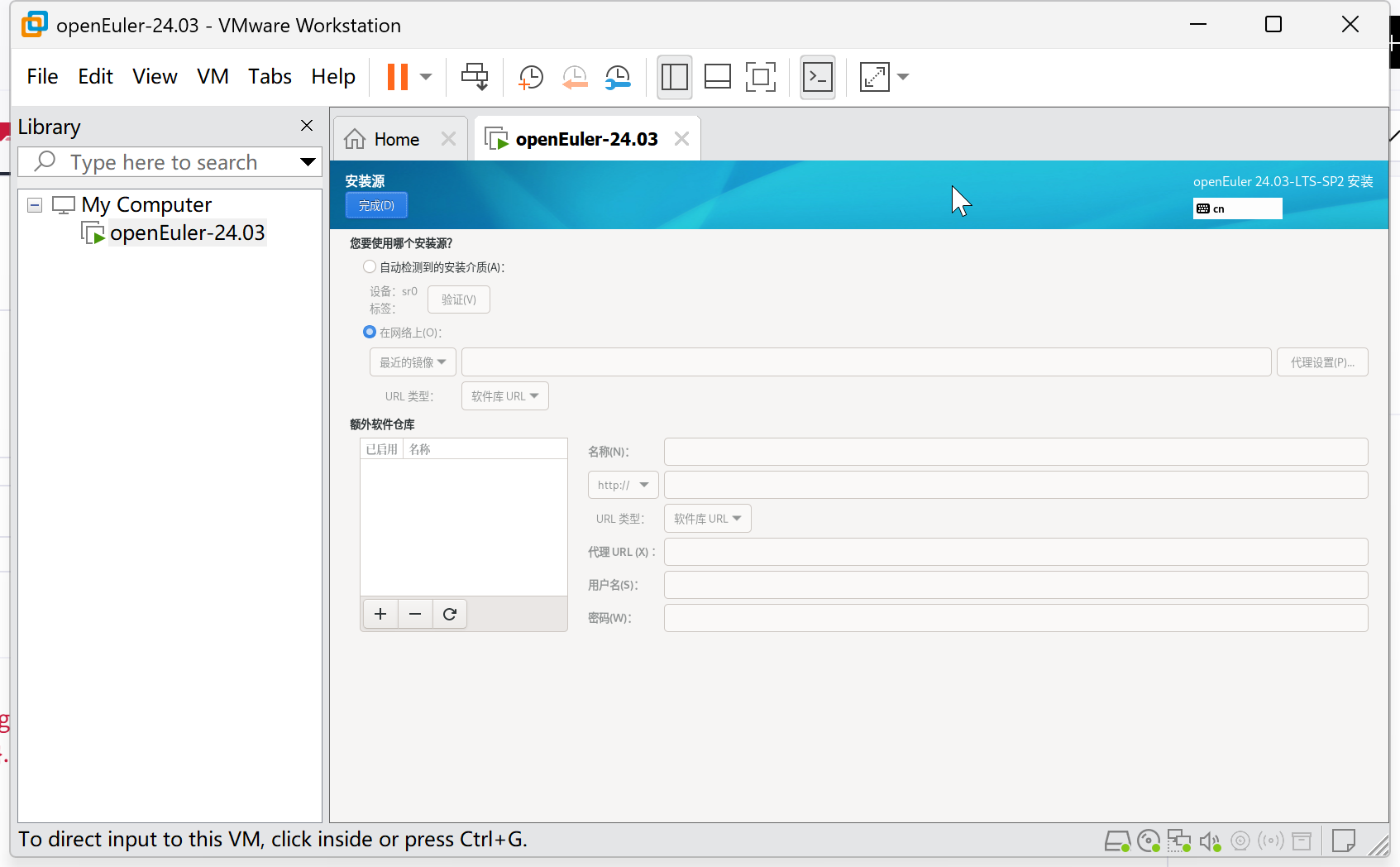
As shown in the figure, the documentation indicates that the openEuler-24.03-LTS-SP2-netinst-x86_64-dvd network installation version cannot automatically fill in the network source, nor can it manually add an image source.

The content is AI-generated and for reference only:

:pushpin: Summary

Item Content
Issue Version openEuler-24.03-LTS-SP2-netinst-x86_64-dvd, openEuler-25.03
Issue Manifestation Unable to auto or manually fill mirror source; base repository setup fails
Root Cause Installer logic flaw, slow mirror detection algorithm, insufficient testing
Responsible Party openEuler Development Team
Recommended Solution Use full DVD ISO image for installation
Temporary Workaround Manually enter high-speed mirror URLs such as Huawei Cloud, Tsinghua University (if supported by interface)

:warning: It is recommended to avoid using netinst-type network installation ISOs unless the issue has been fixed in later versions. Monitor Gitee community issue updates for further developments.

Click here to view detailed analysis and resolution

Analysis of Network Installation Mirror Source Issues in openEuler-25.03 and openEuler-24.03-LTS-SP2

Based on the provided information, the openEuler-24.03-LTS-SP2-netinst-x86_64-dvd network installation ISO suffers from an inability to automatically or manually fill in mirror sources. This issue also affects the network installation process of openEuler-25.03.


:wrench: Issue Phenomenon

When using openEuler-24.03-LTS-SP2-netinst-x86_64-dvd or openEuler-25.03 for network installation:

  • The installer shows “Error setting up base software repository”
  • Cannot automatically detect or fill in network mirror source
  • Even after manual configuration, installation source setup fails
  • “Software Selection” displays “No installation source configured”
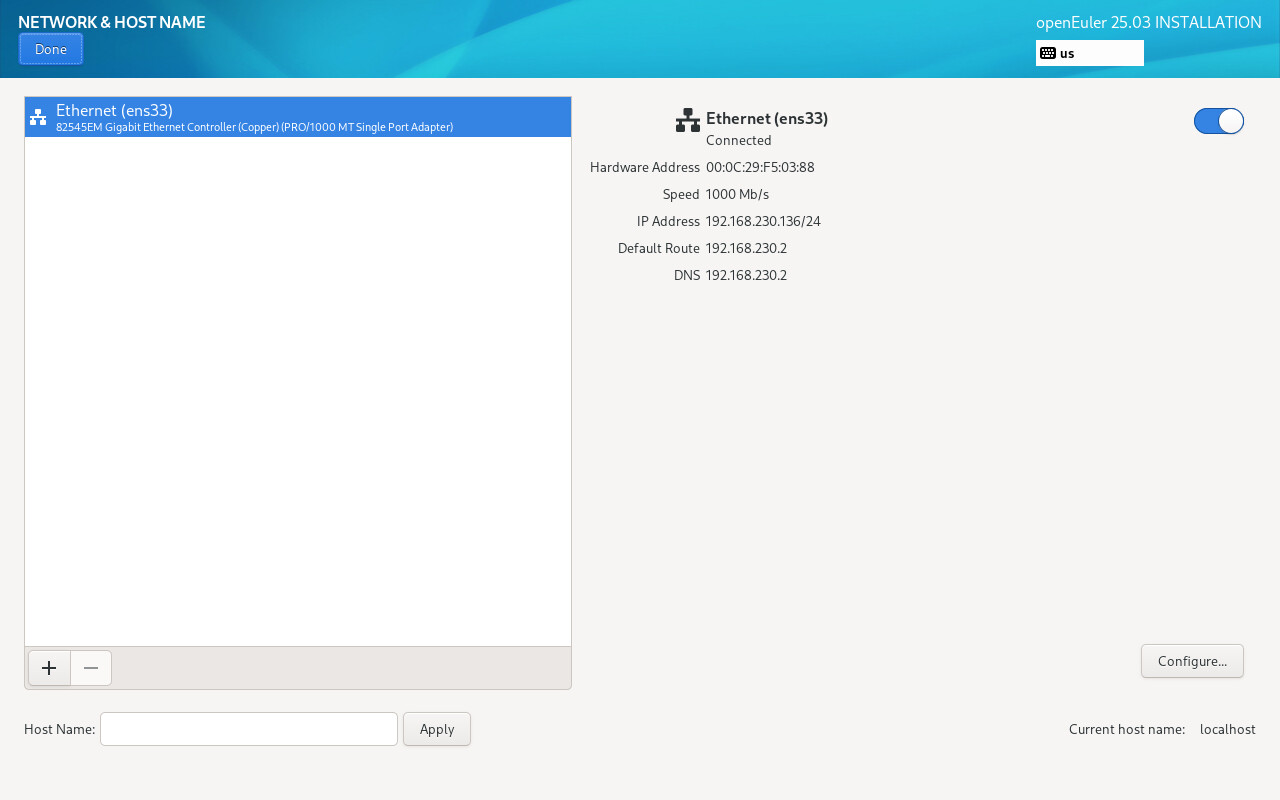
  • Despite having a working network connection (e.g., eth0 connected), the system fails to establish a connection to the software repository

:books: Root Cause Analysis

1. Network Installation Logic Defect (Network Installation Logic)

  • Present in the openEuler-24.03-LTS-SP2-netinst-x86_64-dvd version.
  • The installer fails to correctly read or populate the mirror source URL, preventing it from locating the base software repository.
  • This is a logic flaw within the installer itself, attributed to the openEuler Development Team.

:white_check_mark: Related Entity: Network Installation LogicopenEuler Development Team

2. Slow Mirror Identification Algorithm Issue (Slow Mirror Identification)

  • The mirror selection mechanism in the installer has a flaw, unable to identify and automatically select the fastest available mirror site.
  • As a result, even with network connectivity, the system cannot quickly locate a usable mirror source.

:white_check_mark: Related Entity: Slow Mirror IdentificationopenEuler-25.03

3. Base Repository Setup Failure

  • In the openEuler-25.03 installation process, despite a stable network connection, the “set up base software repository” step still fails.
  • This indicates the issue is not network-related but rather that the installer fails to correctly parse or request the target repository metadata (e.g., repomd.xml).

:white_check_mark: Related Entity: Base Repository Setup ErroropenEuler-25.03


:hammer_and_wrench: Known Solutions

:white_check_mark: Solution Reference (for openEuler-25.03)

A user named openeuleros tested and provided a viable workaround, pointing to the following Gitee issue tracking link:

:link: https://gitee.com/openeuler/community-issue/issues/IBZV1X

This issue has been recognized by the community as stemming from insufficient installer optimization and limited development resource allocation.


:puzzle_piece: Validation of Similar Issues in Other Versions

This issue is not isolated:

OS Version Issue Present? Notes
openEuler 22.03 LTS SP3 Yes (partial) Users report needing to manually specify Tsinghua or Huawei Cloud mirror sources to complete installation
openEuler 24.03 LTS SP2 Yes netinst version fails to auto/manual fill source, reproducible by multiple users
openEuler-25.03 Yes Network installation fails during base repository setup, even manual URL entry fails

:red_exclamation_mark: User Zhoneym explicitly stated: netinst-type ISO images may have been released without sufficient testing.


:light_bulb: Recommended Solutions and Workarounds

1. Use DVD ISO Instead of Netinst

  • Recommended: Use openEuler-24.03-LTS-SP3-Everything-x86_64-DVD or similar full ISO image
  • Advantages:
    • Contains complete software packages, does not rely on network sources for core system installation
    • Allows manual mirror source configuration post-installation for future updates

2. Manually Specify Trusted Mirror Sources (if editable interface available)

If the installer interface allows manual input, try the following URLs (x86_64 architecture example):

OS Source:
https://mirrors.huaweicloud.com/openeuler/openEuler-24.03-LTS/OS/x86_64/

Update Source:
https://mirrors.huaweicloud.com/openeuler/openEuler-24.03-LTS/update/x86_64/

:white_check_mark: Multiple users have verified that Huawei Cloud mirror (mirrors.huaweicloud.com) is fast and stable.


:pushpin: Summary

Item Content
Issue Version openEuler-24.03-LTS-SP2-netinst-x86_64-dvd, openEuler-25.03
Issue Manifestation Unable to auto or manually fill mirror source; base repository setup fails
Root Cause Installer logic flaw, slow mirror detection algorithm, insufficient testing
Responsible Party openEuler Development Team
Recommended Solution Use full DVD ISO image for installation
Temporary Workaround Manually enter Huawei Cloud, Tsinghua, or other high-speed mirror URLs (if interface supports)

:warning: Avoid using netinst-type network installation ISOs unless the issue has been resolved in later versions. Monitor Gitee community issue updates for further developments.

① First, turn on the network to ensure access to the public internet:

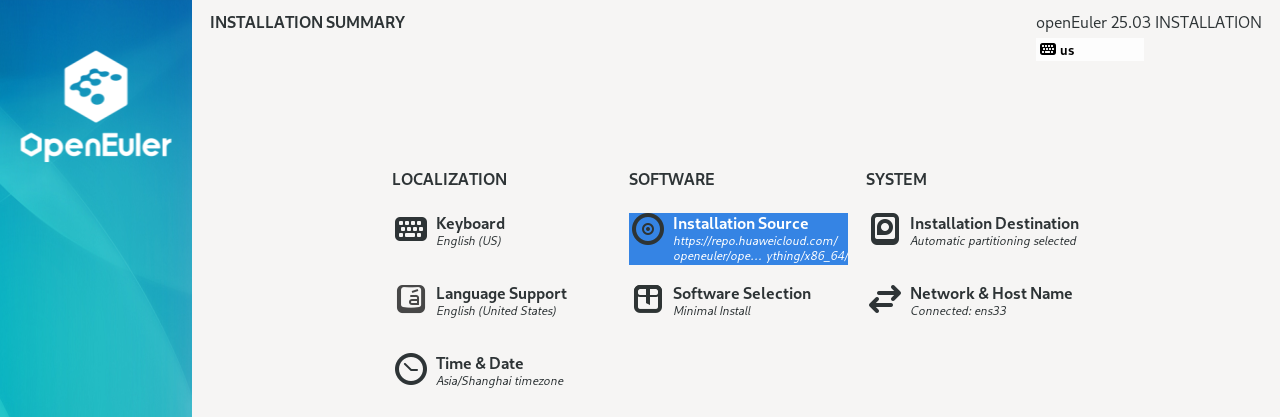
② If automatic mirror source acquisition fails, you can now enter it manually:
Address: https://repo.huaweicloud.com/openeuler/openEuler-25.03/everything/x86_64/
URL type: repository URL