服务器操作系统是Euleros2sp15,网卡eth4和eth6组成bond0,且bond0.1001上配置的地址是29.5.1.14/24、29.5.1.9/24,bond0.1002上配置的地址是30.5.1.14/24。服务器上部署运维工具,运维工具的登录地址29.5.1.9/24,端口是443。由于网络限制,客户端的145.247.198.48/24和29.5.1.9/24不通,导致客户端不能登录工具,但客户端的145.247.198.48/24和服务器的30.5.1.14/24是互通的,通过如下配置实现客户端访问运维工具:
- 启用 IP 转发:
sysctl -w net.ipv4.ip_forward=1 - 添加 DNAT 规则:iptables -t nat -A PREROUTING -d 30.5.1.14 -p tcp --dport 443 -j DNAT --to-destination 29.5.1.9:443
- 添加 SNAT 规则(可选,但推荐,以确保返回流量正确):iptables -t nat -A POSTROUTING -d 29.5.1.9 -p tcp --dport 443 -j SNAT --to-source 30.5.1.14
- 执行保存命令:iptables-save > /etc/sysconfig/iptables
配置后测试,客户端web访问https://30.5.1.14,页面加载不出来,报错如下:
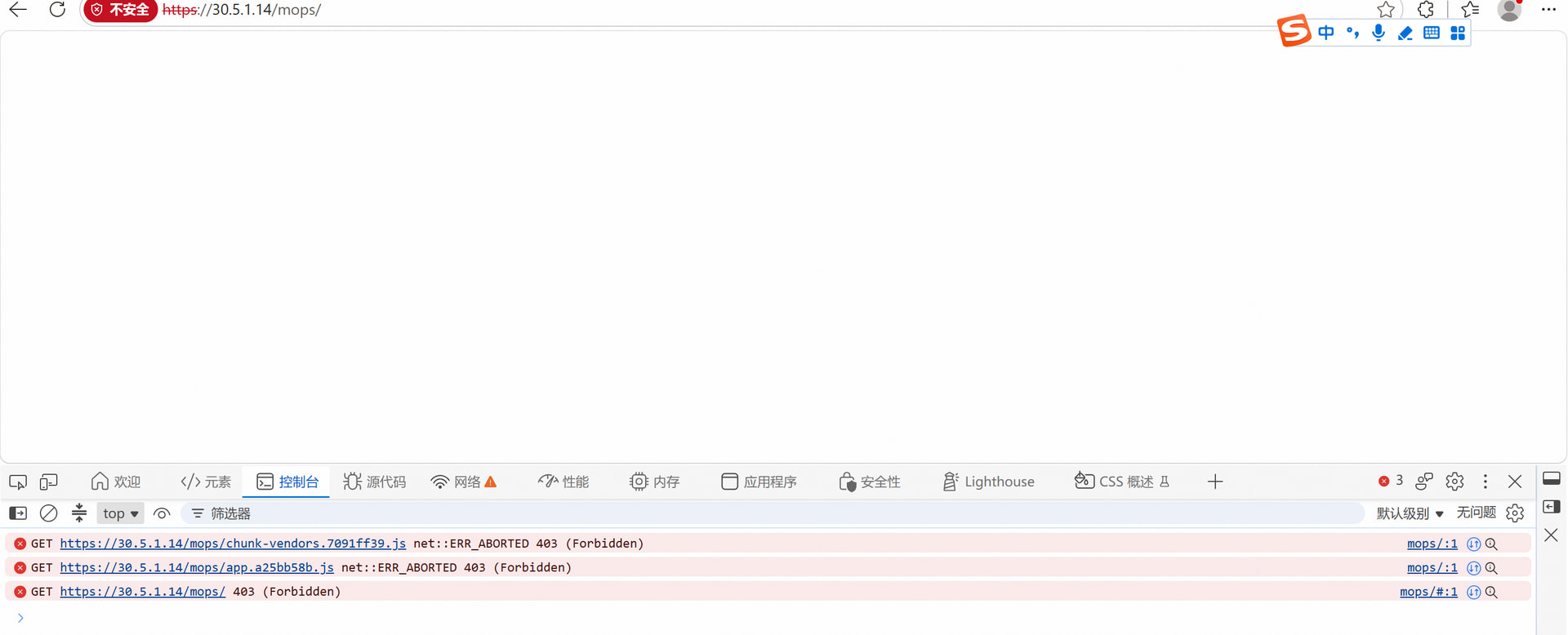
请问如何解决?欢迎帮忙解答,谢谢