openEuler 22.03 (LTS-SP2) aarch64 offline upgrade

Production environment server missed scanning, vulnerabilities in SSH detected

OpenSSH code issue vulnerability (CVE-2023-38408)

OpenSSH security vulnerability (CVE-2023-51767)

OpenSSH remote code execution vulnerability (CVE-2024-6387)

OpenSSH security vulnerability (CVE-2024-6409)

Since the server cannot access the internet, is there any offline upgrade solution? The server is ARM64 architecture, and we cannot reproduce the production environment locally to download the corresponding installation packages and dependencies. Now we don’t know how to fix these vulnerabilities.

Precautions First

Note: 1. Upgrading OpenSSH may cause SSH to fail to start. Be sure to prepare contingency measures in advance.
2. Exercise extreme caution when upgrading in production environments! It is recommended to test first in a simulation environment.

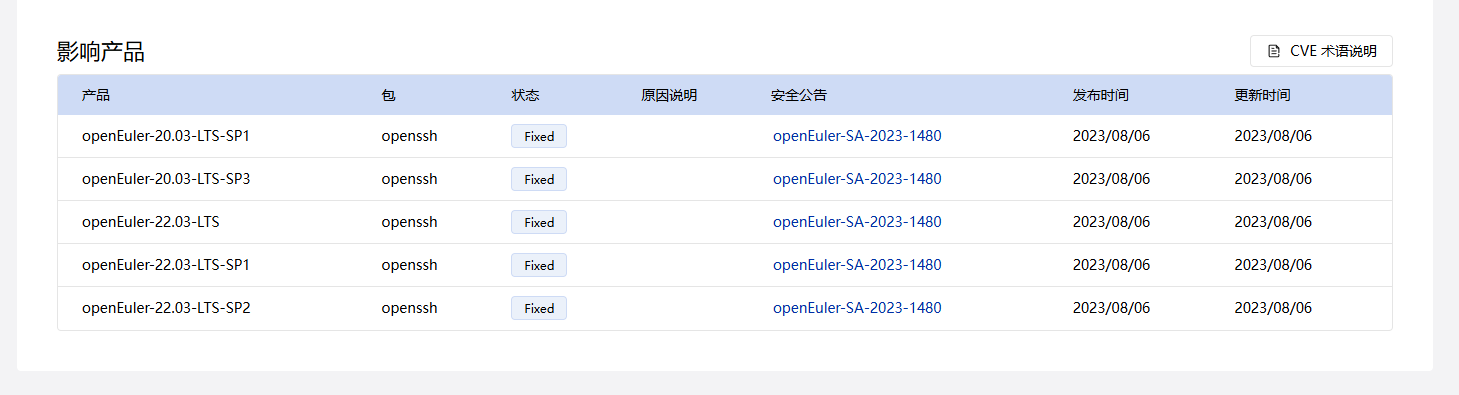
  1. First, check the openEuler CVE Security Vulnerabilities List | Security Information | openEuler Community to see if the vulnerability has already been fixed;
  2. If it has been fixed, select your operating system version and navigate to the security advisory.

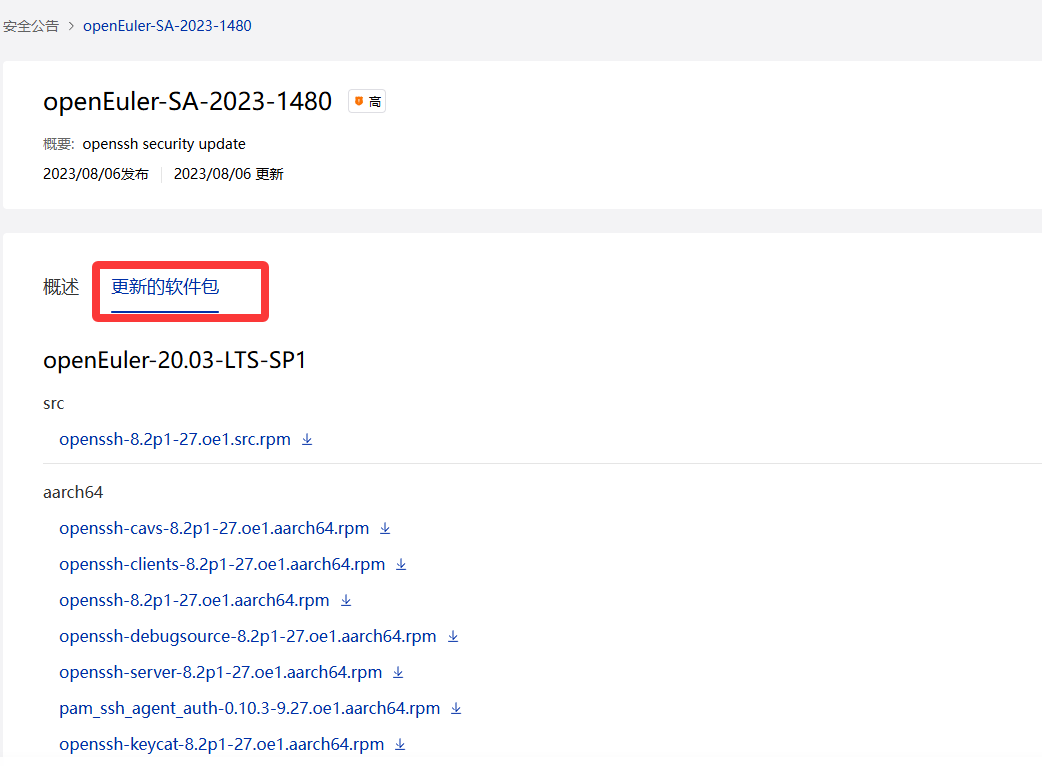
  1. Review the notes in the overview description, then select “Updated Packages,” choose the appropriate architecture package, and upload and install it.

If any required dependencies are missing during installation, download and install them as prompted.

Based on the CVE numbers you provided, these CVEs were likely fixed in the openEuler 22.03 LTS SP4 release. You can download a standard version of openEuler 22.03 LTS SP4 from the link below:

Copy the downloaded ISO file to a USB drive, then refer to the following link to learn how to set up a local repository:
Creating a Local Repository for openEuler - Installation - openEuler Forum

After setting it up, you can use the dnf command to install packages locally. The dependency resolution will be handled automatically during installation.